
Why Notion Changed Everything for This ADHD Entrepreneur (And Might Save Your Sanity Too)
Why Notion Changed Everything for This ADHD Entrepreneur (And Might Save Your Sanity Too)
Running multiple businesses with ADHD used to mean drowning in scattered systems. Then I found the one tool that finally made sense of the chaos.
Let me paint you a picture of what my work life looked like before Notion. I had three businesses running simultaneously. Era Luxe Boutique needed product tracking and inventory management. Women Who Launch required content calendars and affiliate link organization. Please Pass the Love had wellness content spread across who knows how many folders.
I was using Trello for some things. Google Sheets for others. Random notes scattered across Apple Notes, Evernote, and about fourteen different Google Docs. Every morning, I'd spend the first hour just trying to figure out where I put the thing I needed to work on.
If you have ADHD, you already know exactly what I'm talking about. That feeling of having a million tabs open in your brain and no idea which one actually has the information you need right now.
Then I found Notion. And I'm not exaggerating when I say it completely changed how I run my businesses.
The Problem With Every Other Tool I Tried
Here's the thing about most productivity tools: they're built for neurotypical brains. They assume you can just pick a system and stick with it. They assume you'll remember to check five different apps every day. They assume your brain works in neat, linear ways.
Mine doesn't. And I'm betting yours doesn't either.
Trello was great for project management, but I couldn't store my actual content there. Google Sheets could handle data, but making it visual and intuitive? Forget it. Asana was powerful but so complicated that setting it up felt like a part-time job. And Evernote? Don't even get me started on trying to find anything I'd saved there six months ago.
Every tool did one thing well. But I needed everything in one place. I needed to see my content calendar next to my product inventory next to my task list, all without having to remember which app housed which part of my business.
That's what finally clicked when I started exploring Notion. It wasn't trying to force me into someone else's system. It was giving me the flexibility to build something that actually worked for my brain.
What Makes Notion Different (Especially for ADHD Brains)
Notion calls itself an all-in-one workspace, which sounds like marketing speak until you actually use it. What it really means is that Notion is part wiki, part database, part project manager, and part note-taking app. All wrapped into one interface that you can customize however you need.
For ADHD entrepreneurs specifically, here's why that matters:
First, everything lives in one place. No more app switching. No more wondering where you saved that crucial piece of information. When I sit down to work now, I open Notion. That's it. My entire business infrastructure is right there.
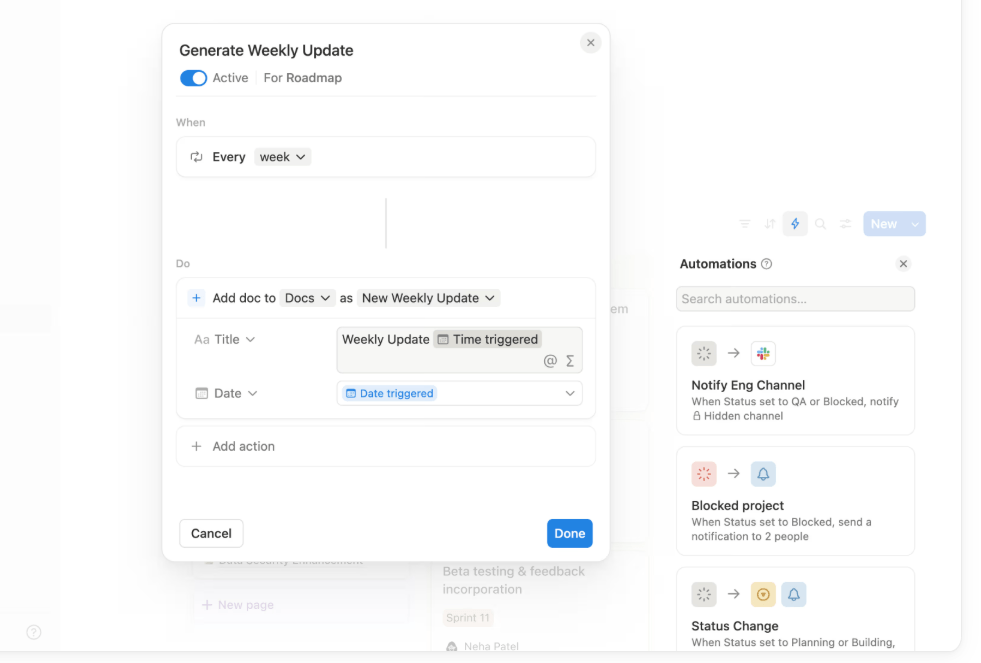
Second, it's visual in a way that actually helps rather than overwhelms. I can see my content calendar as a calendar. My product inventory as a gallery with images. My task list as a kanban board or a simple checklist, depending on what my brain needs that day. The same information, multiple ways to view it.
Third, and this is huge: Notion grows with you. When I first started, I had a simple page with a to-do list and some notes. As my businesses got more complex, I added databases for products, content workflows, client information, financial tracking. I didn't have to switch tools. I just built onto what I already had.
The Features That Actually Changed My Daily Workflow
Let me break down the Notion features I use every single day and why they work so well for managing ADHD chaos. These aren't just nice-to-haves. These are the tools that literally keep my businesses running.
Databases That Think Like Your Brain Should
This is where Notion gets really interesting. Databases sound technical and boring, but in Notion, they're basically smart tables that can do whatever you need them to do.
I have a database for every blog post I write. Each post is its own page inside the database. I can see all my posts as a calendar based on publish dates. Or as a table with columns for status, topic, and target site. Or as a kanban board moving from "idea" to "drafted" to "published."
Same data. Different views. All accessible with a single click.
For Era Luxe Boutique, I have a product database with every item I carry. I can view it as a gallery to see product images. Or filter it to show only items from a specific designer. Or sort by price point. Or check what's in stock versus what needs to be reordered.
The beauty of this system is that I set it up once, and then I can slice and dice the information however my brain needs it on any given day. If I'm in a visual mood, gallery view. If I need details, table view. If I'm planning, calendar view.
ADHD brains crave novelty. Notion gives you that without sacrificing organization.
Templates That Save You From Reinventing the Wheel
One of my biggest ADHD struggles is decision fatigue. Should I structure this page this way or that way? What should my workflow look like? How do I even start setting this up?
Notion has templates for basically everything. Content calendars. Project trackers. Habit trackers. Financial dashboards. Client management systems. And you can customize any of them.
Even better, you can create your own templates. Now when I need to create a new blog post outline, I don't start from scratch every time. I have a template with all my standard sections already there. I just fill in the blanks.
Same with product pages for my boutique. Same with content planning. Same with just about everything I do regularly.
This might not sound revolutionary, but when your brain constantly wants to reinvent how you do things, having templates that give you structure while still allowing flexibility is massive.
The AI Features That Actually Help
Notion AI is built right into the platform, and I use it more than I thought I would. Not for everything, but for specific tasks that used to eat up way too much time.
Writing first drafts of product descriptions? I give Notion AI the key details, and it generates a starting point that I can then edit to match my voice. Summarizing long research articles I've saved? Notion AI can pull out the key points so I can decide if I need to read the whole thing.
I also use it for brainstorming when I'm stuck. I'll write out what I'm trying to accomplish, ask Notion AI for ideas, and usually something in its response will spark the direction I actually want to go.
Here's what makes this different from just using ChatGPT in another tab: it's integrated right where I'm already working. I don't have to context-switch. I don't have to copy and paste between apps. It's just there when I need it.
For an ADHD brain that loses momentum every time I have to switch contexts, this is gold.
Connected Databases and Relations
This feature alone is worth the price of admission. I can connect different databases together so information flows between them automatically.
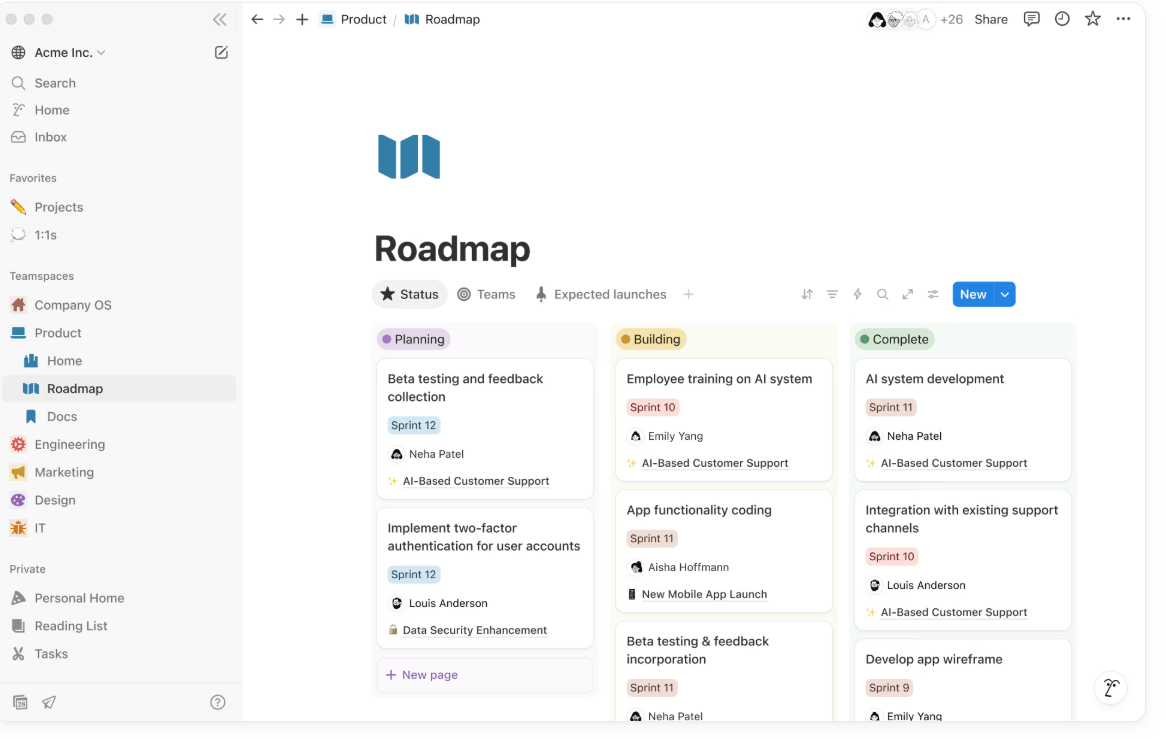
For example, my content calendar database is connected to my blog post database. When I schedule a post to publish, it automatically shows up on my calendar. I don't have to enter the information twice or remember to update both places.
My product database connects to my designer/brand database. When I add a new product, I can link it to the designer, and instantly see all products from that designer, their contact information, and partnership notes.
This kind of connected thinking is how my ADHD brain actually works. Notion is the first tool that lets me organize information the way I naturally think about it.
How I Actually Use Notion Every Day
Theory is nice. But what does this actually look like in practice?
Every morning, I open Notion to my main dashboard. At the top, I have my priority focus for the day. Below that, I have a view that shows all my tasks due today or overdue. Next to that, I can see what content is scheduled to publish this week.
When I need to work on Women Who Launch, I click into that section of my workspace. My content calendar is there. My database of affiliate products with all my links and notes. My blog post drafts. Everything related to that business.
For Era Luxe Boutique, different section. Product inventory. Designer partnership notes. Marketing campaign planning. Customer inquiries I'm tracking.
I'm not jumping between apps. I'm not trying to remember if I put that information in Trello or Google Docs. It's all there. Organized the way my brain needs it. Available when I need it.
And when I have a random idea at 11pm? I open the Notion app on my phone and drop it into my brain dump page. In the morning, it's there waiting for me, right next to everything else I'm working on.
The Learning Curve Is Real (But Worth It)
I'm not going to lie to you. Notion has a bit of a learning curve. The first week or two, I felt like I was fumbling around trying to figure out how things worked.
But here's the thing: it's not complicated because it's badly designed. It's complex because it's flexible. You're not learning someone else's rigid system. You're learning building blocks that you can arrange however you want.
Think of it like this: Trello gives you boards and cards. That's what you get. Notion gives you pages and databases and blocks and relationships between them. It's more to learn upfront, but once you understand the basics, you can build literally anything.
And honestly? As someone with ADHD who gets bored easily, I appreciate that there's always something new to learn or a better way to optimize my setup. The tool grows with me instead of me outgrowing the tool.
Is Notion perfect? No. Sometimes it can be slow to load if you have a lot of content. The mobile app isn't quite as smooth as the desktop version. And yes, you can get sucked into spending hours making everything look pretty when you should be working.
But those are minor annoyances compared to what it's given me: a single system that works with my ADHD brain instead of against it. A workspace that adapts to how I think instead of forcing me to adapt to it. And honestly, peace of mind knowing that everything I need is in one place.
Is Notion Right for You?
If you're an entrepreneur with ADHD who's tired of juggling fifteen different tools and still feeling like you can't keep track of everything, Notion is worth trying.
If you need flexibility because your brain works differently every day and rigid systems make you feel trapped, Notion is worth trying.
If you want something that can grow with your business without forcing you to migrate to a new tool every six months, Notion is worth trying.
The free version is generous enough that you can test it properly before paying for anything. Build out a simple workspace. Try creating a database or two. See if it clicks with your brain.
For me, it was the first tool that finally made me feel like I could actually manage multiple businesses without constantly dropping balls or losing track of crucial information. It didn't cure my ADHD. But it gave me a structure that works with how my brain actually functions.
And after years of fighting against tools that assumed I thought like everyone else, that alone was revolutionary.
If you're ready to try Notion for yourself, you can start here. Trust me, your future self will thank you for finally getting everything into one place.
I occasionally share affiliate links for tools, resources, or products I genuinely believe in. If you decide to purchase through one of these links, it helps support my work and our shared mission to reimagine wellbeing—thank you for being part of it.
💛 Curious what tools, platforms, and products I actually use and love?
Take a peek at my favorite resources!
Want free visibility for your business?
Add it to the WWL Business Directory for free!
No strings attached.
Join Our Newsletter
We send out regular updates, hot finds, discounts and anything else we can find to make your life easier.